Question
Why is the Drill-in feature not showing on my reports/dashboard after I've enabled it inside my report(s)?
Answer
The Drill-in option on the dashboard itself is not yet enabled!
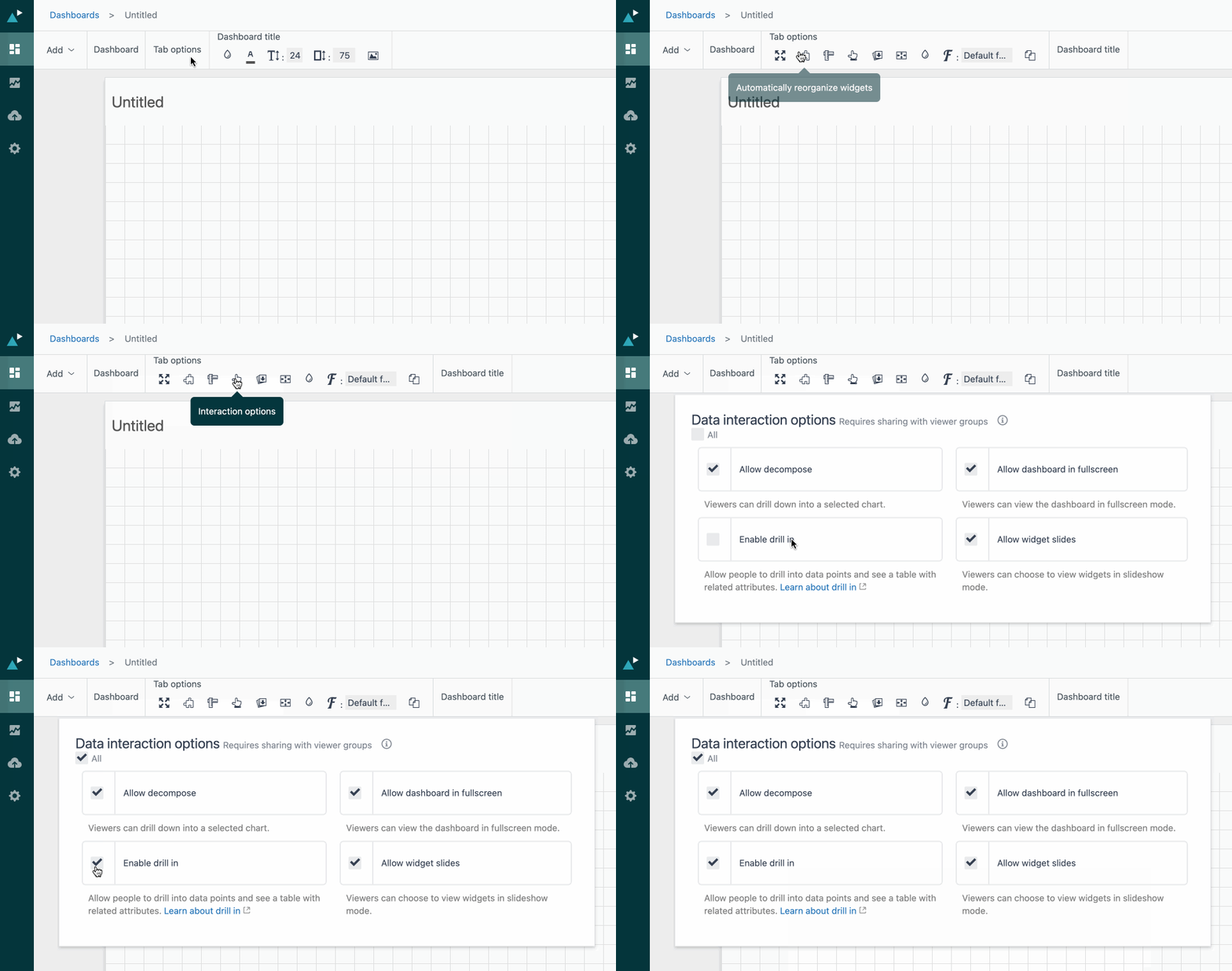
To enable drill-in on a dashboard
- Open your dashboard for editing.
- Click Tab options > Interaction options (
 ).
). - Select Enable drill in.
For full details on the drill-in feature, please see this Zendesk Guide here: Using drill-in to refine your reports